Saturday, December 26, 2015

Fall Color

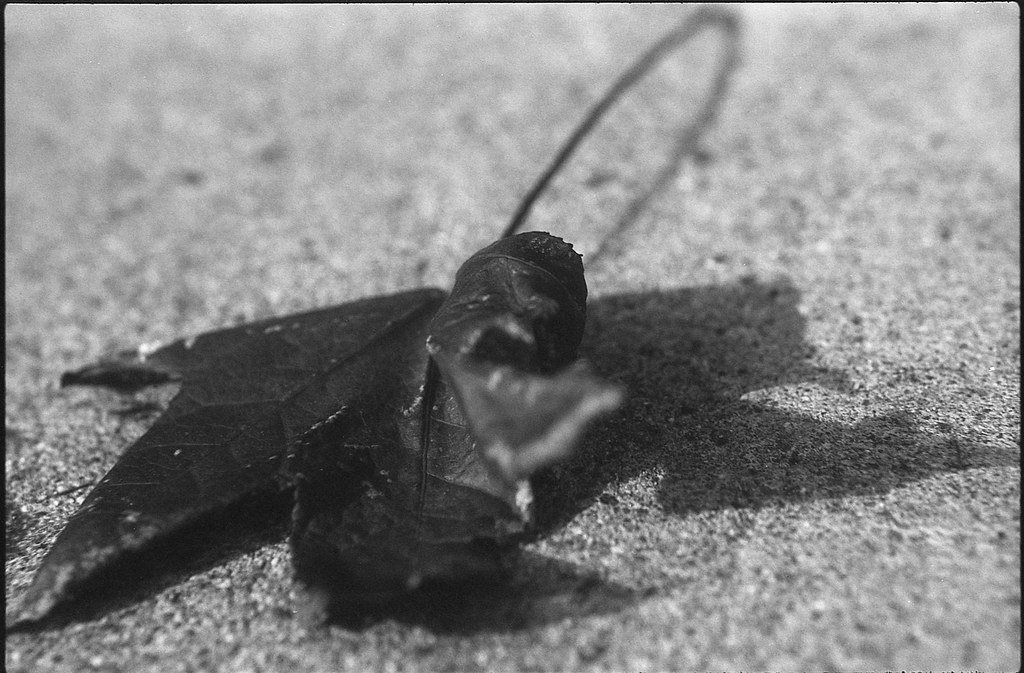
Okay, that title is a little misleading since I am only going to show black and white photos in this post. But I was out around the neighborhood shooting some colorful leaves the other day and the film I had loaded in my Pentax K1000 was my trusty Kodak Recordak Dacomatic. This film was intended for use in the Recordak Microfilmer.


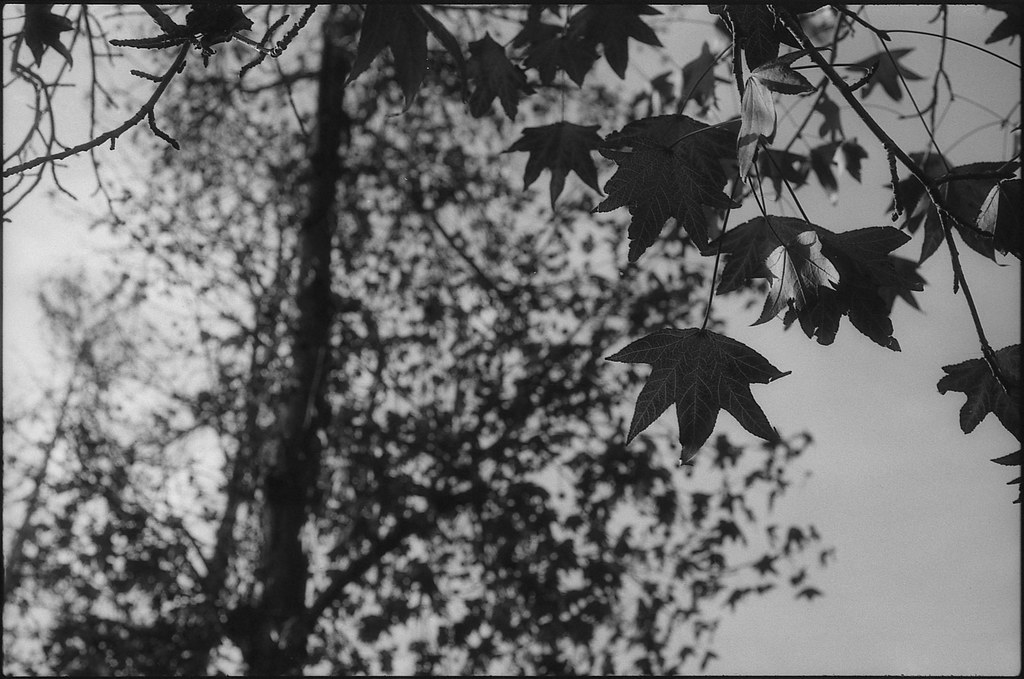
I am old enough to have used microfilm and microfiche in college. It was just for copying text and half-tone images, so really it was just a high contrast medium, not intended for pictorial use at all. There was no need for it to be even panchromatic (sensitive to all visible wavelengths of light), so it was orthochromatic (sensitive to the blue/uv end of the spectrum). That means that red things tend to be dark, even black when photographed with this film. So I had this in mind when I went out for my walk. There aren't many colorful trees here in San Diego, but one that does turn a nice color is the liquidambar tree. The leaves turn a deep red color from November throughout the winter. If there isn't much wind or rain, many leaves stay on the tree. So I decided to try a few shots of these red leaves using my orthochromatic (red insensitive) film. I got pretty much what I thought I would... some very dark colored leaves with good detail. I developed the film in X-tol diluted around 1+3 for 11 minutes with agitation every 30 sec. The film was exposed at EI 100 which is a little fast for this, especially with red subjects, but I still got some decent images.


K1000-Dacomatic-004
K1000-Dacomatic-002

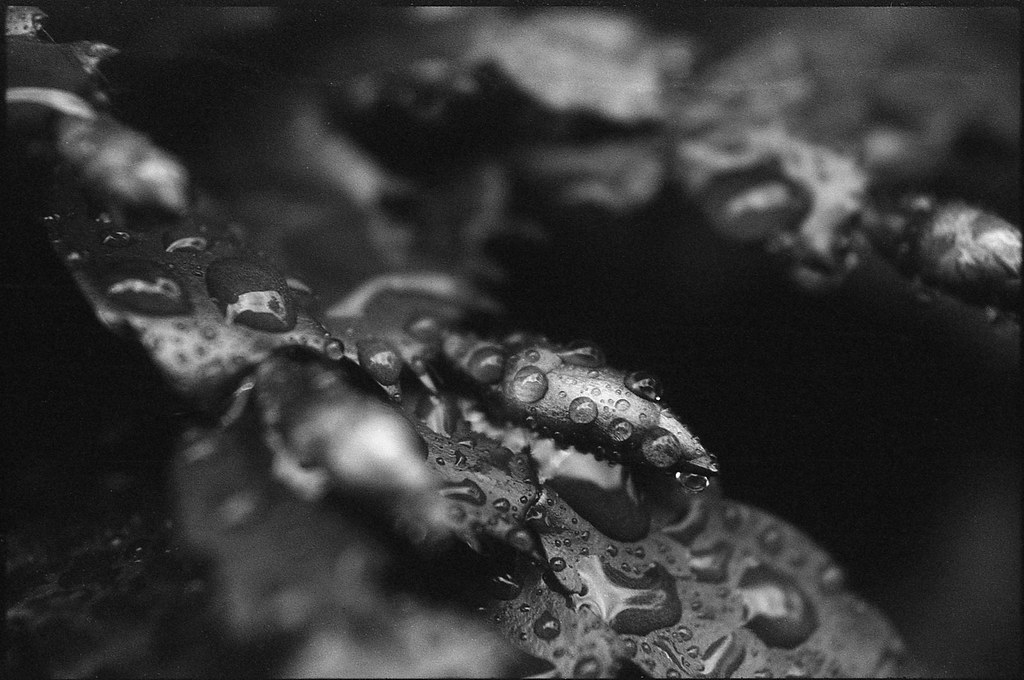
This last one is of a red Christmas Cactus with some water drops. The red subject with this film becomes pretty abstract, which I often like.


K1000-Dacomatic-020

I hope you enjoyed this little trip down 'Orthochromatic Lane'. Expired microfilm is a fun change of pace for people who like black and white images, but are a little bored with the usual offerings of Tri-X and FP5. Give it a shot and let me know how it goes!

Saturday, December 19, 2015

To correct or not to correct...

While driving home from a high school football game last Oct, we happened across North Algodones Dunes Wilderness Area. There was a pull-out, so I thought I might get a few snaps of the place. I think it would be worth going back at a better time of day or maybe pre-dawn and just sit and see what the light does. Anyway, I had Some Ektachrome Slide Dupe film loaded in my Fed-3 and I just snapped a few shots off casually. I developed the film a couple of months later and was in a bit of a rush when I decided to scan the negatives. So I just put them on the scanner and let the auto settings do their magic. Well a couple of things happened. First, I hand wound the film into an old 35mm canister and as it turns out, the light seal was imperfect, so there were some light leaks on the film. Some shots had worse streaks than others and so this in turn caused the scanner to make different decisions about what was 'white' in each frame. So when I came back to view the photos, these shots of the dunes, while taken at the same time in the same place, were different colors. It looked like this.


Sand Tryptich

You can see that the center one doesn't have a light leak in it and it looks more 'true' to the color of sand (mid-day-ish). The other two got shifted with more red and blue. I thought this was sort of an 'interesting' outcome of some random inputs, but I wondered what the same triptych would look like with the color balance corrected so they all looked alike. So I went about rescanning them, using the RGB levels of the middle photo to adjust the other two manually. I do my scanning with the Epson Perfection V600 flatbed scanner and the Epson Scan software that comes with it. It is easy to use and produces results acceptable for sharing online which is about 95% of what I do with my photos. Here is the result of the adjusted photos (sorry about the dust, I didn't bother doing the dust spotting on the second scan).


balanced-tryptich
I like this version, but not as much as I like the first one. That left me with a question though. Is it artistically honest to accept my scanner's decisions resulting in random changes to my images? Can I post those photos and tout their beauty when this was not my intention when I took them? I might just have to leave that one to the philosophers and accept the "happy accident" of light leaks and scanner color shifting. I like the results too much to delete them.

Sunday, December 13, 2015

LC-69 Process Film

What's that?? You've never heard of LC-69 film? Well apparently, not many other people have either. I certainly never had until I was given a very generous gift of a Pentax K1000 with a few lenses, filters, and not surprisingly, an old roll of film forgotten in the bottom of the bag. The canister said "Images Professional Color Print Film". Then it had three little boxes where you would put a check mark next to the speed at which you shot the film, 100, 200 or 400. then there was a mysterious marking, "Process LC-69". What sort of color print film was this? Well, straight to the Googlz I went and oddly, there was very little to be found about this beast. What I did find was not very informative as far as how to process it. So, I figured, what the heck... shoot it at iso 100 and process it in C-41 at room temp and see what you get. Worst case, I would have wasted some time on murky brown images. I did learn that this film was used by the mail order places like Seattle Film Works where you would mail them your film, pay for processing and they would send you replacement film for free. I also read somewhere that there was rem-jet on these films, but more about that later.

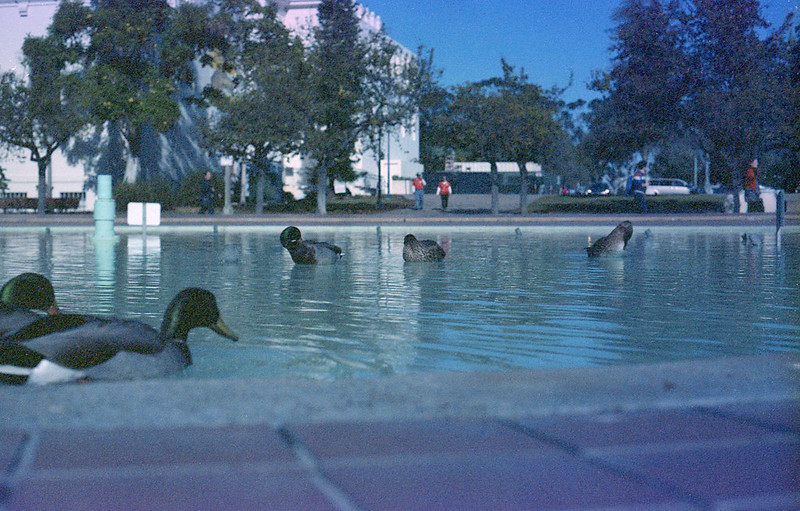
The Pentax had been stored for quite some time, but it was in a bag with silicone packs, so I figured it was probably servicable as far as shutter speeds go. Heck, the battery that powers the meter is still holding a charge! Anyway, I went down to the lovely Balboa park on a sunny December morning (yes, most December mornings are sunny here in San Diego) to meet some friends from work. We were going to do a photo walk for a couple of hours and I was heading the charge. Of course everyone else was shooting nice digital cameras, both SLRs and mirrorless. I shot up the LC-69 film and some Dacomatic copy film as well as a roll of Acros in my Bronica S2a. But you are here to read about the LC-69, right?

I decided that I would follow a procedure outlined by Reinhold of Caffenol.org fame whereby regular C-41 chemicals are used at room temperature instead of the usual 102F. I figured that would be more gentle on the emulsion if this happened to be a sensitive film. So the temperature in my house was about 70F and Reinhold's calculations said that I would need 17 minutes in the developer. That seemed like a long time, but I'm all about the trust. So 17 minutes with 4 inversions every 30 seconds passed. I did a strip test on the leader in the Blix and it looked like it cleared in about 3 minutes, so the usual 6.5 minutes in the Blix was going to work. It didn't look to me like there was any rem-jet on the leader after the blix test, but I did a 1 minute soak and agitate in some Borax at the end of the Blix cycle. Nothing really came off, so I think that part was erroneous.

The scans look like regular expired cross processed slide film. Nothing surprising or extra special about the LC-69 film. Sorry, that's anti-climactic, I know. But here are some nice pictures for you to look at.

K1000-LC69-010
K1000-LC69-005
K1000-LC69-021
K1000-LC69-017

Tuesday, November 24, 2015

Three films, One flower

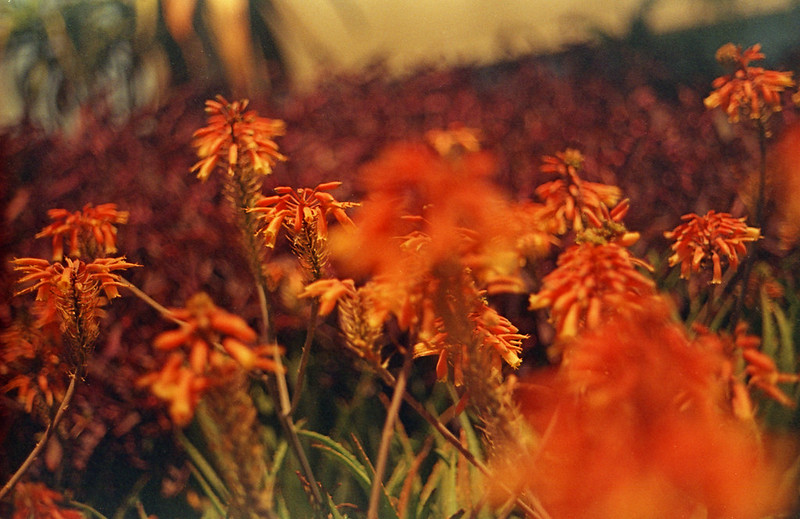
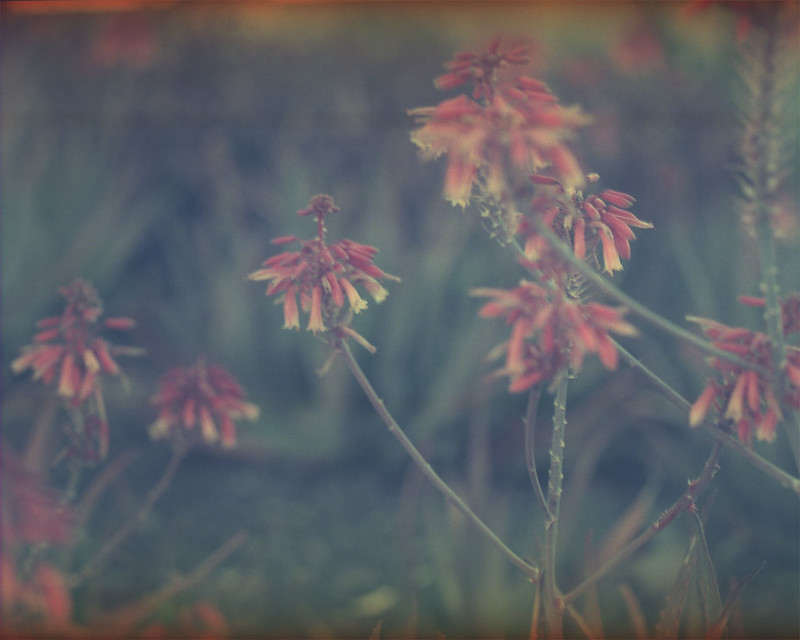
This isn't really a very scientific comparison since most of the variables involved were not controlled. In fact none of the variables except for the subject were controlled. So take it for what it's worth... a simple visual comparison of the same subject on three different expired color films.

First is one of my favorite color films (see more here). It is 35mm Ektachrome Slide Dupe film cross-processed in C-41 as CN. I think it expired in the 90's and I shoot it at iso 25 and develop normally in Unicolor C-41 chems.

ftn-slide-dupe025

Next up is some expired 35mm Ektachrome 64D. This film was not stored well so there is some fogging and grain, but still not a bad looking film. I shoot this around iso 12 and cross-process in the same Unicolor C-41.

Chinon-Ektachrome-006

Finally, we have some 4x5 Vericolor II sheet film, also expired in the 90's. This shot seems particularly low contrast and there is a strange banding that I haven't seen with this film before, but I still like the look.

SpeedGraphic-VericolorII-6

I hope you enjoyed this informal look at these different films. I (obviously) like shooting expired color film. Fresh CN film is also very nice, but there are no surprises really. You get pretty much what you see through the viewfinder. I like surprises, so I will keep shooting this old stuff as long as I can find it for reasonable prices. Long live FILM!!

Saturday, November 21, 2015

There's Expired Film, and Then There's...

When I see a bargain on 'the bay', there is a fleeting moment when my brain says, "That's too good to be true, and if it were really a bargain someone else would have snatched it up before you." Often that is enough to discourage me from making impulsive purchases. However, when it comes to cheap film, I am a complete sucker. So when I came across a 10-pack of 120 film for around $3/roll shipped, my urges got the better of me. Now this film was a little odd, but not unheard of. It was the Russian brand Svema and it was the FN64 black and white negative emulsion. It had expired in 1996 which is less than 10 years ago, so I figured between the relative newness and the slow iso, it would be good to go, maybe even at box speed. So I ordered the 10 rolls and hoped for the best. When it came in the mail (from Ukraine) I thought the cold war style packaging was quaint. The rolls were individually boxed with Cyrillic letters on them. The rolls inside were wrapped in a foil-lined paper, not sealed in plastic like most other 120 films are. I unwrapped one to find a bright red backing paper that seemed a little bit thicker than most backing papers I have encountered, but you never know until you try, right? So I put the roll into my Bronica S2a and started shooting. My concern grew on about the fourth shot. I wound the film, the shutter cocked and then the film kept winding. It wasn't like a free spin as if the film had broken, but a sort of squishy wind that gradually got stiffer. I finished the roll with this sort of strange 'feel' to the winder. Normally when I reach 12 on the counter, I get the free wind as the film is all on the take-up spool and no longer turning the sprockets in the winding mechanism. This time that didn't happen. It just got harder and harder to wind. So I opened it up, figuring it had something to do with the thickness of the backing paper. Maybe I was going to have to respool all of this onto regular 'Western-style' backing papers. But no, when I opened the back, the film sort of sprung out at me like one of those trick snakes in a can novelties. It was not wound around the take up spool at all. Instead it was crammed all around it accordion style. What I discovered was that the tape that normally holds the film to the backing paper on the leading edge had lost all of its stickiness and so it did not lead the film onto the spool. One roll down. One lesson learned. The next roll I took into a darkened room and unrolled it until I could feel the leading edge of the film and the old tape. Out with the old and in with a new piece of nice sticky tape. I rolled it back up and put it in the camera. This time it wound like a charm. I shot the roll at iso 50 because that is what I read someone else did on the interwebz. Here is where we learn the lesson about film storage conditions and what effect they have on film over time. Here is an example from that roll.

Cactus

Sometimes you can overcome background/base fog simply by bumping the exposure a stop or two. So for the next roll, I decided to go for it and shoot it two stops slower than box speed at iso 16. This might have been a little better, but not significantly so.

S2a-Svema64-008

This film was obviously stored at 'room' temperature or worse. This caused oxidation of the emulsion which turns things all 'speckeled'. It's not the worst thing that could happen. If I know the photos are going to look like this, I can choose my subjects and lighting accordingly and set my expectations. So I'm not sure what exactly I will do with the remaining 7 rolls of this old film, but I'll bet one day I will find myself in the mood for something a little 'different' and I'll pull another one of these old Russian rolls out of the freezer.

Monday, September 28, 2015

A Beach, A Bucket, and a Brownie 2a

So I have this roll of 70mm Kodak Vericolor III which was originally a tungsten balanced film. It expired in 1989, so I shoot it at iso 50 instead of its “box speed” of 160 for daylight. However, since it is 70mm film, the only camera I have that will take it is a Kodak Brownie 2a Model B (1920-24). These cameras were made in the days of relatively low film speeds, so I figured I was safe. The white balance could be taken care of in post by applying an 85b warming filter to the images. So I snapped away, not worrying a whit about f-stops or shutter speeds. The 2a has 1 shutter speed (around 1/30th) and 3 apertures of approximately f/11, f/16 and f/22. Doing a quick 'sunny sixteen' calculation in my head, I set it at aperture #2 and happily set about taking some shots of people doing the beach thing, some scenery, etc.

Skip ahead a few weeks. I am ready to develop some color film. In fact Reinhold (some of you may know him from his caffenol blog) over on Filmwasters had suggested that C-41 development could be done at room temperatures by simply extending the development time. So I thought I would try this. There has been a heat wave recently where I live and so my house is a warm 85F during the day. I looked that temp up on Reinhold's graph and figured I would develop for 8 minutes instead of the 104F time of 3.5 minutes. Well, the negatives were a little thin. I suspect that my C-41 kit is nearing exhaustion since I have had it since Last summer and have developed MANY more rolls of film than the manufacturer recommends. This is a testimony to the Unicolor kit. It just goes and goes and dies off slowly, so instead of having a suddenly blank roll, I have a thin roll that I can still scan, and I know that I need to replace my chemistry.

So I scanned the negatives and saw some pretty massive light leaks that weren't "camera" leaks, but leaks where the edges of the backing paper got torn or folded and the film was exposed when I put it in and took it out of the camera, not to mention the 3 weeks in the refrigerator. Given all that, I will accept the leaks as "happy accidents" as well as the thin negs and the color shifts. This photo seems to be especially well received over on Filckr where it earned me my very first "Explored" photo. I hope you enjoy it too.

Brownie2a-VericolorIII-004

Monday, September 14, 2015

My First Salt Print

I like making prints. Having something to hold in my hand at the end of the day is just more satisfying than looking at the inverted image of my scanned negative. The image on the screen is enough to keep me going with the whole photography thing, don't get me wrong, but there is something special about holding that paper with the image I created on it. Alas, I don't have a darkroom or an enlarger. I don't currently have the space to set it up, so it just isn't an option. Enter "contact printing"! Taaa Daaaaa! Contact printing is where you put your negative (or in some cases positive) in contact with a piece of paper that has been coated with light sensitive chemicals. This creates an inverted image on the paper... a print. This is very different than making an 'enlargement' from a negative. That involves projecting light through the negative onto photographic paper. The paper is then developed, washed, fixed and washed again. With most contact printing processes, there is no development step. It is called POP or Print Out Paper, which means that the image emerges during exposure. There is a literal ton of information on these interwebz about how to do this, so I won't rehash the history or list all of the different variations and recipes. I will just go briefly over the process I used for this, my first foray into silver-based printing.

The salt solution is:

  • 20g sea salt
  • 20g sodium citrate
  • enough purified water to make 1L

I brushed this solution onto Strathmore Bostick 100 lb hot press watercolor paper and let it dry. I chose this paper because it was lightweight (recommended) and smooth, so it wouldn't require an additional step of sizing to keep the chemicals on the surface. You don't want thick spongy paper that will absorb the chemicals or your prints will look 'soft', or not quite as sharp as the negative image you are using.

Next, I made this solution:

  • 12g Silver Nitrate
  • enough purified water to make 50mL

And this solution:
  • 6g citric acid
  • enough purified water to make 50mL

I made these two in amber dropper bottles with clear labeling. Silver nitrate is not to be trifled with. It will cause blindness if you get it in your eye, so absolutely wear eye protection when handling powder or solutions!! It will stain anything it gets on so cover counters and wear an apron and some sort of latex or nitrile gloves if you don't want black dots on your skin and clothes.

When you are ready to make a print, go to a dimly lit room (I use a room with a window, but keep the curtains drawn) and combine 1:1 the silver and citric acid solutions. I just eyeball it with the glass droppers. There isn't going to be any noticeable difference if you are 10% off one way or the other. I then use a brush to apply a thin coating of the solution to the dry salted paper. At this point a replacement reaction occurs and NaCl combines with AgNO3 to make the inert product NaNO3 and the light sensitive product AgCl. Let the paper dry, or use a cool hair dryer to get it nice and dry. I had good luck adding another coat when using a brush. The first print I did only had a single coat and there were visible brush marks in the image area.
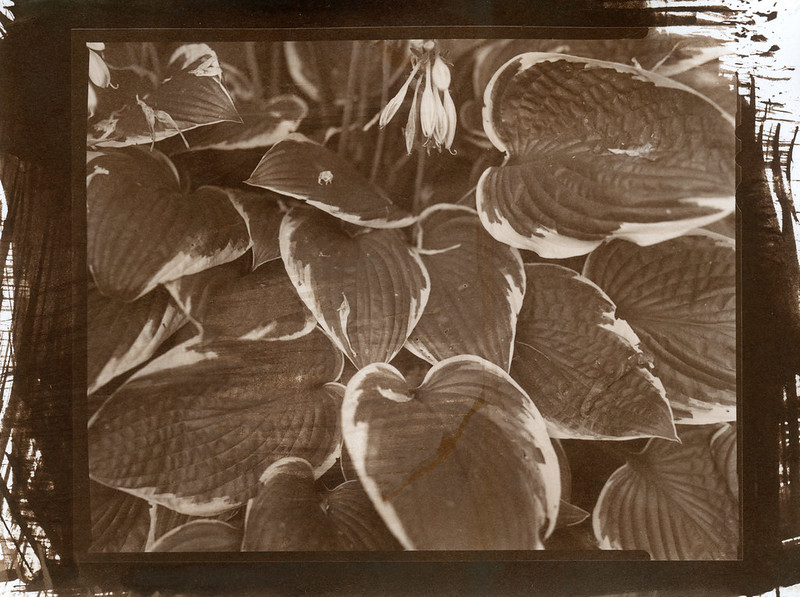
Salt-Print--002

But I'm getting ahead of myself. I happen to have a nice printing frame that my lovely, beautiful, kind, generous and supportive wife (are you reading this darling?) gave me as a gift. If you don't have one (the printing frame, not the amazing wife), a piece of glass or two will do. As long as you can sandwich the negative between the glass and the sensitized paper, you will be fine. I made sure that the silver emulsion on the negative was pressed against the silver coating on the paper. That will give you the sharpest possible image. Then I set the whole thing out in the blazing San Diego sun for about 6.5 minutes. My printing frame has a split back that allows me to check the progress as I go, so there really isn't much guessing and I got a well exposed print on my first try. That's the one of the hostas just above this paragraph.

The print looks sort of orange/brown right out of the frame. Take a quick look in that dim room, but don't dilly dally. Start rinsing the print either under gently running water or in a water bath, agitating and changing the water frequently. "What do you mean by 'frequently'", you ask. Well, it gets a bit fuzzy here. People who live where there is more water than you know what to do with, can just let the water run and run for 10 to 20 minutes. But I live in drought-ridden So. California where the water police are watching and just waiting to double your water charges if your usage increases over last year. So I am probably under-washing my prints and they will only last 50 years instead of the 400 years that the museum archivists like. Since my prints will never darken the walls of a museum, I don't care. So I rinse under running water for a minute or two and then let the print sit in an appropriately sized tub with a couple of inches of water in it for 5 minutes and change the water 3 or 4 times. I figure that has got to provide at least a 1:1000 dilution of the unexposed AgCl left on the paper. If that isn't enough, then I apologize to the future generations of people with bad taste who might have appreciated my prints, but can't because they are too dark.

Next I fixed the print using this solution:

  • 100g Sodium Thiosulfate
  • enough purified water to make 1L

I just pour enough in the washing tub to cover the print, maybe 1/2 inch deep and let it soak with some gentle agitation for about 5-6 minutes. Then rinse again with the same scheme as before. When that is done, hang it to dry and bingo... salt print deliciousness!
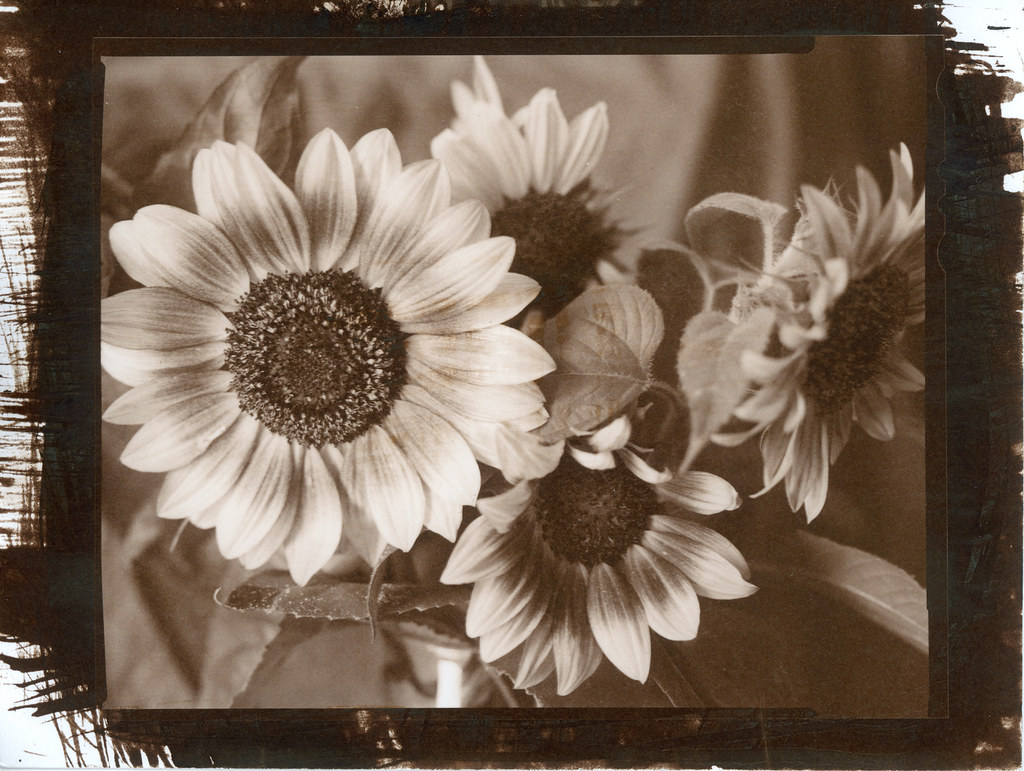
Salt-Print--001